Showing posts with label procreate. Show all posts

Tuesday, August 28, 2018

How You Learn To Live Alone


"First you fall
then you fly
believe you belong to the sky
 Flap your arms
as you run
every revolution closer to the sun
 Fall asleep in motion
uncharted hemispheres
wake with stars falling 'round your ears
 When they hit the ground 
they're nothing but stone
 That's how you learn to live alone
Release resistance
lean into the wind
til the roof crumbles
rain pouring in
 Sit in the rubble
til the rubble feels like home
That's how you learn to live alone..."


Saturday, July 4, 2015

One by One


don't they always...

Saturday, May 17, 2014

Lola #2


Here's #2 in my Lola series. To keep with the theme
I used the same process as in the previous post. I played
around with more color choices in this one and really
liked the result. 

"Well I'm not dumb but I can't understand
why she walked like a woman and talked like a man
Oh my Lola
la-la-la-la Lola
la-la-la-la
Lola"

Wednesday, May 14, 2014

L-O-L-A……LOLA


Do you remember the song "Lola" by the Kinks?
It was stuck in my head all day and ended up in my
art. The original picture is an old high school photo.
I opened it in Tinned Cam and added the overlay
with the white lettering and distress marks. Next I 
used Procreate to add the "makeup" and saved the
image and then opened this image and the original
 in Image Blender. After blending the two pictures
I opened the result in Word Swag to add the lyrics.

I've recently joined a group on Facebook moderated
by Karen Divine where she suggests a direction and then
she and other artists discuss your post. The current 
challenge is to develop a series based on one idea.
I'm thinking I'll continue to bring out the "Lola" in
more old photos for my entries.

Saturday, August 17, 2013

Wonderful! Wonderful!


We are in the middle of August in South Carolina and the
 weather has been in the upper 60's and low 70's the last 
couple of days....
wonderful! wonderful!
 
Today finds us with yet another rainy day. I like rainy days but 
we've had a little too much rain in our neck of the woods.
I've gotten my "fall" sinus infection already by having all
my windows open....from all the mold and mildew
caused by this rain I'm sure....but like I said....
wonderful! wonderful!

My thoughts are with all those who's homes have been
damaged by the flooding...and I'm feeling blessed not
to count myself among them.

Sunday, July 21, 2013

The Village Square


One of the things I struggle with constantly is color theory.
You would think that in this sort of 'hodge podge' art that it
wouldn't be a problem but things can become a mucky mess
if you mix the wrong colors. I've signed up for an online class

Here's hoping you actually can teach an old dog new tricks.....

Thursday, July 11, 2013

One pill.....


"One pill makes you larger...
and one pill makes you small...
and the ones that mother gives you...
don't do anything at all."

LOL....can you tell what generation I'M from?


I saw this on FB.......WANT! WANT! WANT!


Wednesday, July 10, 2013

Yes.....I do!


Color outside the lines.....that pretty much sums me up!
You say potato....I say poTAto....lol!
This piece was done completely in Procreate.
I love using collaged pieces of old books,
scraps of papers and my own art pieces in
my work. I think this is my fav one so far!

Monday, July 8, 2013

Hero......

 
I'm thinking of printing up some greeting cards....
I thought maybe for the inside...
"...and I'll always be your faithful sidekick!"

Saturday, July 6, 2013

Howling in rhyme.....

"Oh ...love will make a dog howl in rhyme!
~Francis Beaumont


Thursday, July 4, 2013

Wednesday, July 3, 2013

Outside the Box

Procreate....a lot like a simplified version of Photoshop
but with mixed media brushes for crayons, markers,
and such. I have to say....I like it!


The picture above was "tweaked" in PS...I added the
text, scan code, and stars on the face.


I started off with a background that I doodled in
Paper53.

I also started the face in Paper53. The brush in this app
allows for a watercolor look that blends well.


After importing the background and face I brought in a
picture of some newspaper and erased parts to make 
the body. That's really neat to be able to take a pic
with your Ipad and import it into this app. The tie, legs,
hair, circles around the green, and the top and right
borders were made with texture brushes. The rest I
just sketched in using the technical pen and ink brush.
I saved this as a jpg (you can also create pngs with
this app by turning off the background before saving!)
and opened it in PS to complete the picture.

I do miss having paint under my nails....and I plan to
incorporate some pieces done in the studio with my 
digital work....but.....this app only cost $4.99. That's
for unlimited papers, brushes, paints, stencils, stamps....
and I can carry my studio (my Ipad) where ever I want
to paint....the park...coffee shop....stuck in traffic....
well...you get the picture. Love! Love! Love!

Tuesday, July 2, 2013

La Chienne

Artrage......I think I've conquered you!
This is my finished piece....tweaked in Photoshop.


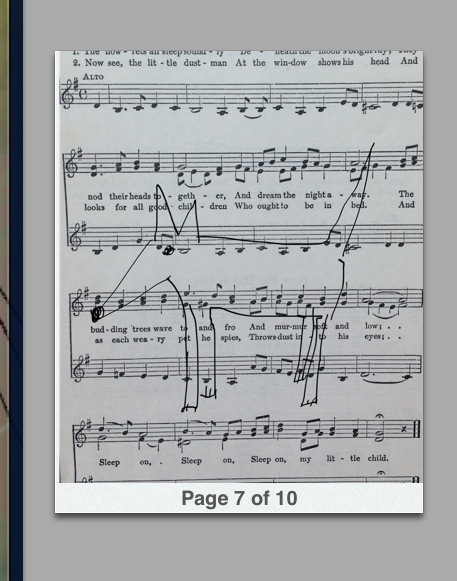
I opened Noteshelf and imported a picture of a
music sheet then sketched a simple dog.


On a new page I imported a background that
I made in my studio and started sketching my girl... then
went to the dog sketch page and cut & copied the dog...
went back to the girl picture and pasted the dog on.
 

Next I opened the picture in Artrage and added her
head, some sketching, and a little added color.


And as you see in the first picture I took this one
to Photoshop and added the glasses, cloud, text, 
and some "brush stamps". I haven't been able to
rotate text in Noteshelf so I used PS.

Moving on to Procreate.....